
What a seat is
A seat is one place for a person in the team. Each seat also adds storage and AI tokens to the team’s shared pool.Adding a member past your seat count
When every seat is taken, Add member reports Seat limit reached. The owner must purchase more seats. The check runs again when someone accepts, so an invite can fail if the team filled up in the meantime. To make room, the owner adds seats or removes a member.Shared storage
Storage is one pool for the whole team, with no per-person split. It is used first come, first served. Projects saved as Personal draw from the same pool. See Personal and team ownership.Shared AI tokens
AI tokens are also one shared pool. The team gets a monthly allowance that resets on a set date, plus an extra bank used once the monthly allowance is gone.Checking what is left
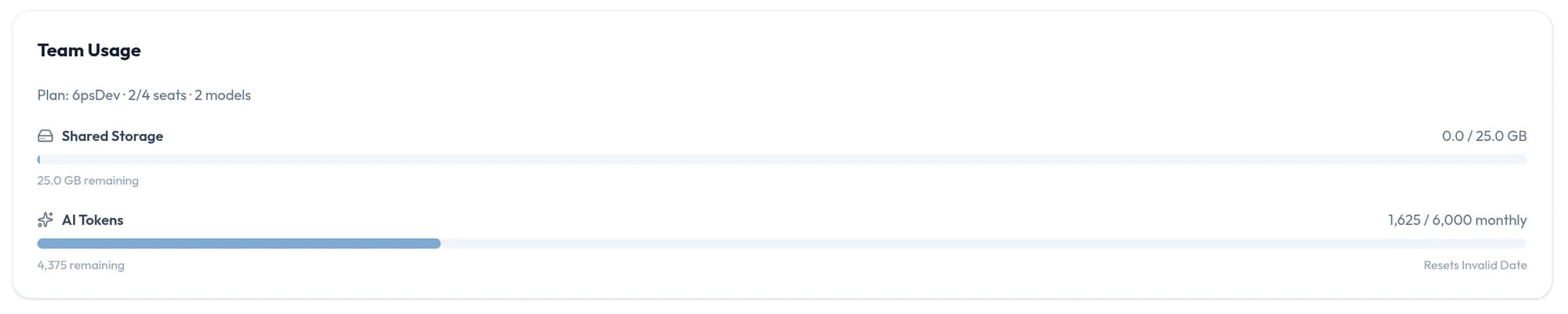
There are two places to look:- Team Usage, in the Team tab of your settings, shows the plan, seats in use, number of models, Shared Storage, and AI Tokens with what is remaining, the extra bank, and the date it Resets. Every member can see it.
- The stats bar at the top of your library shows Storage and AI tokens.