
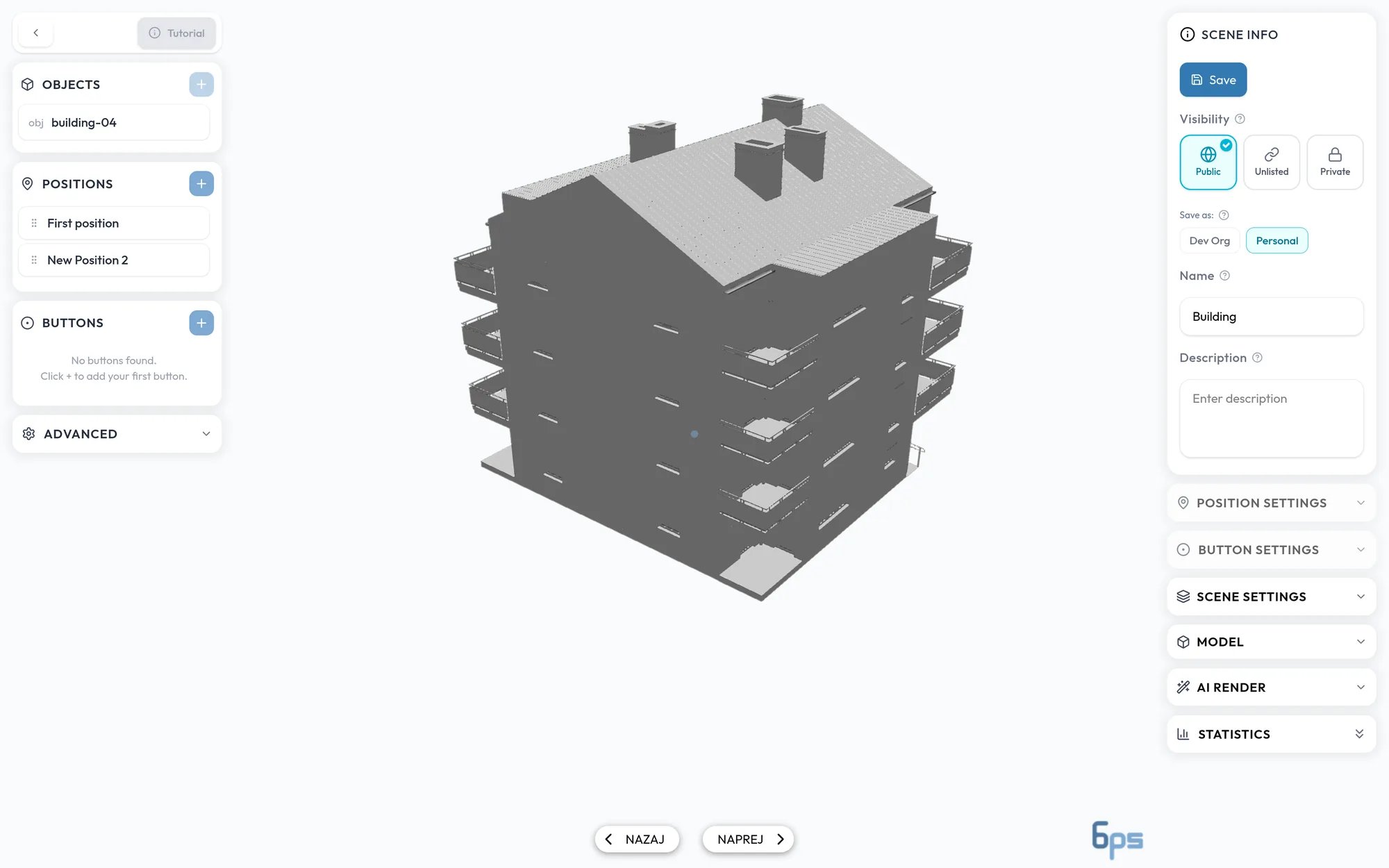
The layout
- Viewer, in the middle. Before you add a model, it is a drop zone that says Drag and drop your 3D asset here.
- Left sidebar:
- Objects lists the models in your scene. See Uploading models and Model settings.
- Positions holds the saved camera views. See Camera positions.
- Buttons places clickable points in the scene. See Hotspots and buttons.
- Advanced holds visual effects. See Scene and environment.
- Right sidebar:
- Scene info holds the name, description, visibility, and the Publish button. See Publishing a model.
- Settings for the selected position, button, and model, and Scene Settings for the background and lighting. See Scene and environment.
- AI Render creates an AI-edited image from the current view. See AI render.
- Statistics jumps to the view figures for the model. See Engagement and analytics.