
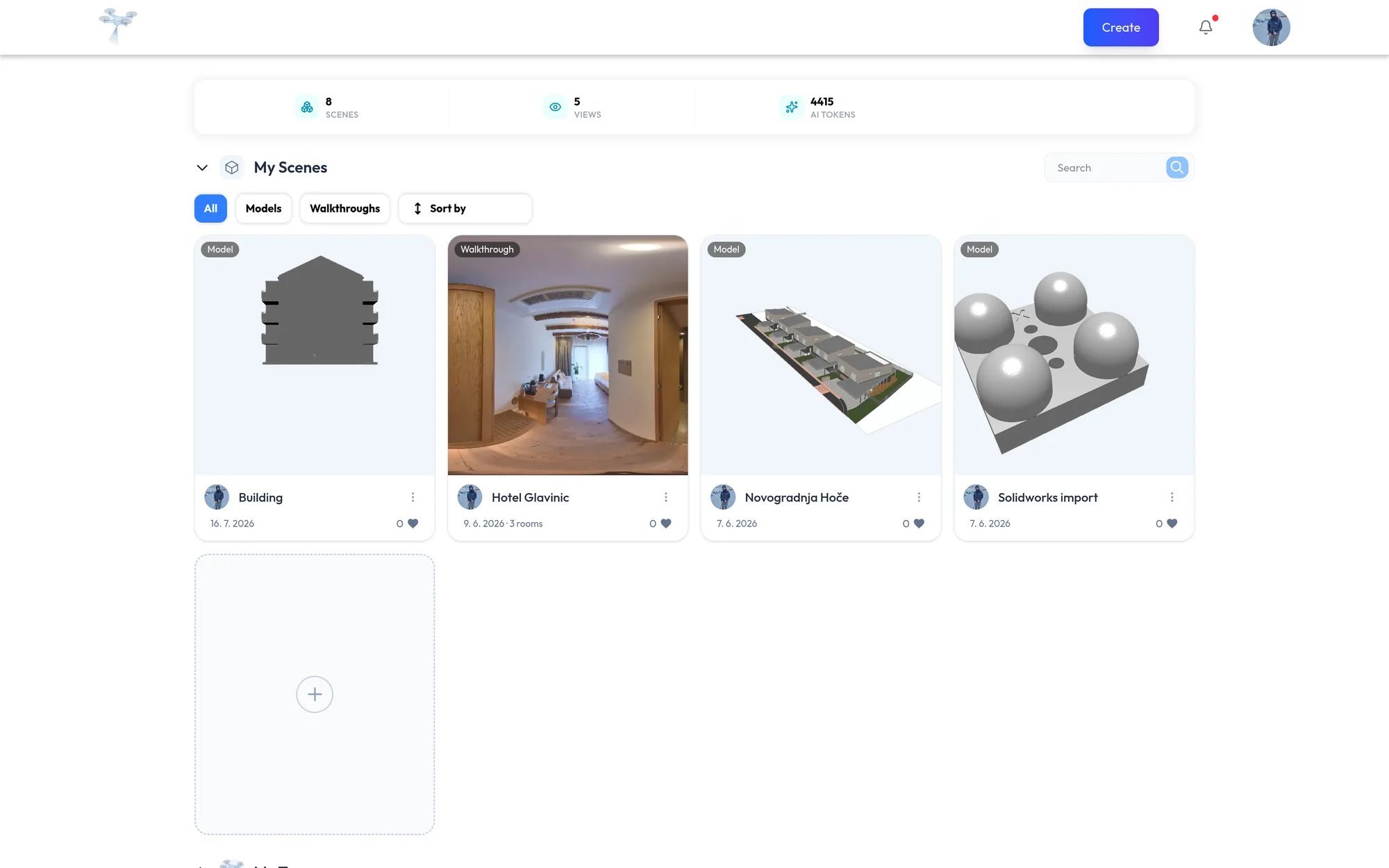
Sections
You can browse Public without signing in. Sign in to see your own scenes and your team’s content.
Each section has a Search box, an All, Models, and Walkthroughs filter, and a Sort by menu. Newest projects come first by default. Popularity sorts by likes. In My Team, the Shared dropdown shows only the models one member uploaded.
Your usage at a glance
When you are signed in, the stats bar at the top of the page shows:
- Scenes: the total number of models and walkthroughs across My Scenes and My Team.
- Views: total views across your content. Hover over it to see the split between Models and Walkthroughs.
- Storage: the space you have used out of the space your plan allows, in GB.
- AI tokens: the AI tokens you have left.
Starting a new project
- 3D Editor for 3D models. See 3D Editor.
- Virtual Walkthrough for 360° tours. See Virtual Walkthrough.
- AI Virtual Staging for furnishing, renovating, editing, or upscaling a single image. See AI Virtual Staging.
Locked sections
My Team is locked when you are signed out, or when you are not in an organization and your plan does not include one. A locked section shows a lock and an Upgrade plan button. See Organizations.